Vector graphics are often used for diagrams, icons, technical drawings, interface mockups, and structured visual content. With Conholdate.Drive, you can easily convert SVG files to VISIO online, creating a VSDX file that can be opened and used in Microsoft Visio-compatible workflows - without installing additional desktop conversion software.
This feature is especially useful for teams that need to reuse SVG-based graphics inside Visio diagrams, documentation, process maps, and business or engineering presentations.
SVG to VISIO Means SVG to VSDX
When you select VISIO as the target format in Conholdate.Drive, the output file is automatically created as VSDX.
This is because VSDX is the modern Microsoft Visio file format used for editable Visio drawings. So if you are searching for SVG to VISIO conversion, Conholdate.Drive helps you create the practical Visio-compatible result: an SVG to VSDX conversion.
When to Convert SVG to VISIO
Converting SVG to VISIO is useful in many real-world scenarios:
- Reusing SVG diagrams in Microsoft Visio.
- Turning vector illustrations into Visio-compatible drawings.
- Importing icons, symbols, and technical graphics into Visio workflows.
- Preparing SVG-based process maps or flowcharts for further editing.
- Sharing visual assets with teams that rely on Visio files.
- Moving web-friendly vector graphics into business documentation workflows.
Instead of recreating SVG graphics manually in Visio, Conholdate.Drive helps convert them online.
How to Convert SVG to VISIO in Conholdate.Drive
Follow these simple steps to convert your SVG file:
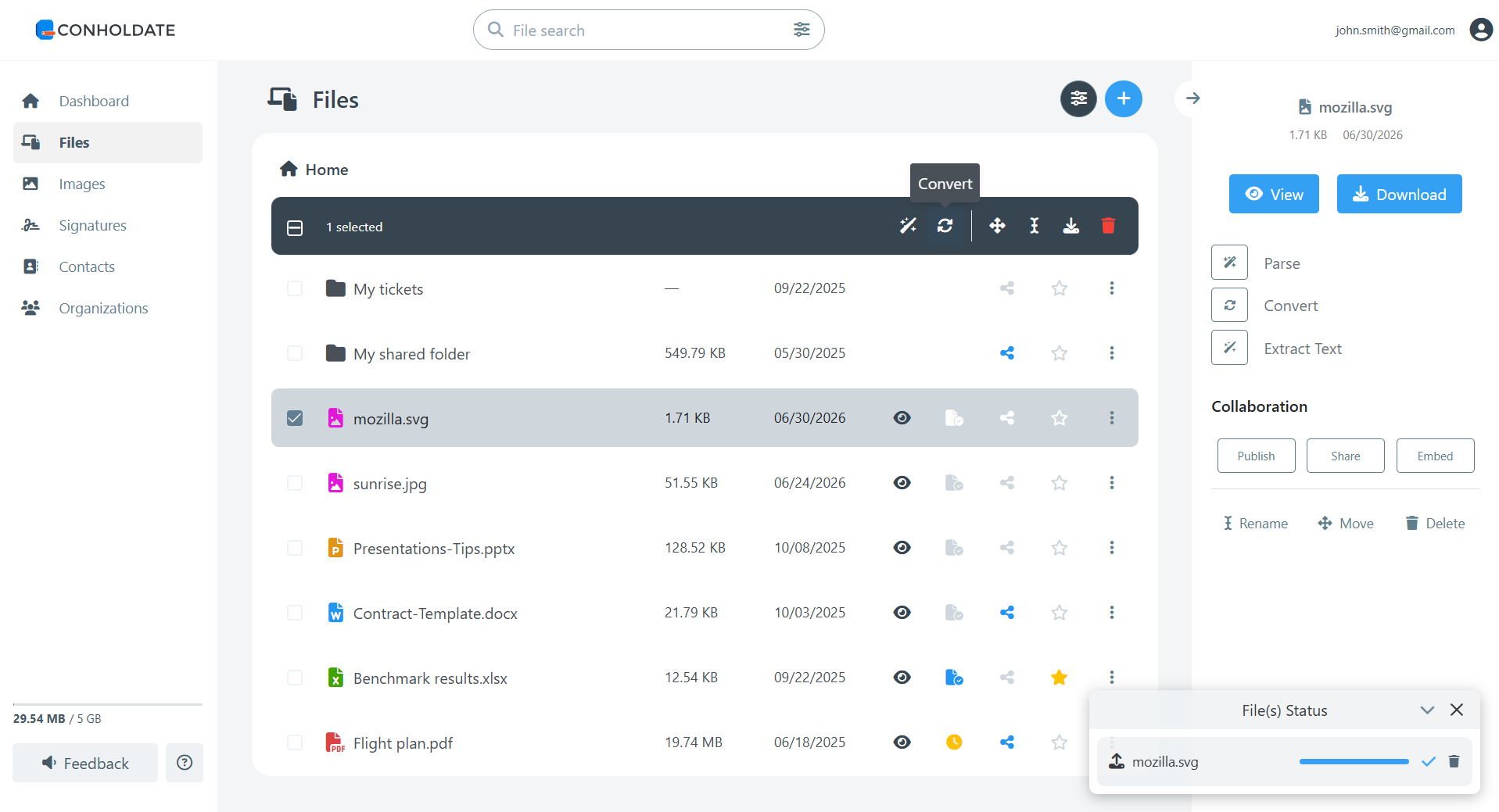
- Upload or select your SVG file in the Conholdate.Drive files list.
- Open the Conversion dialog from the top toolbar or the file’s context menu.
- In the list of target formats, select VISIO.
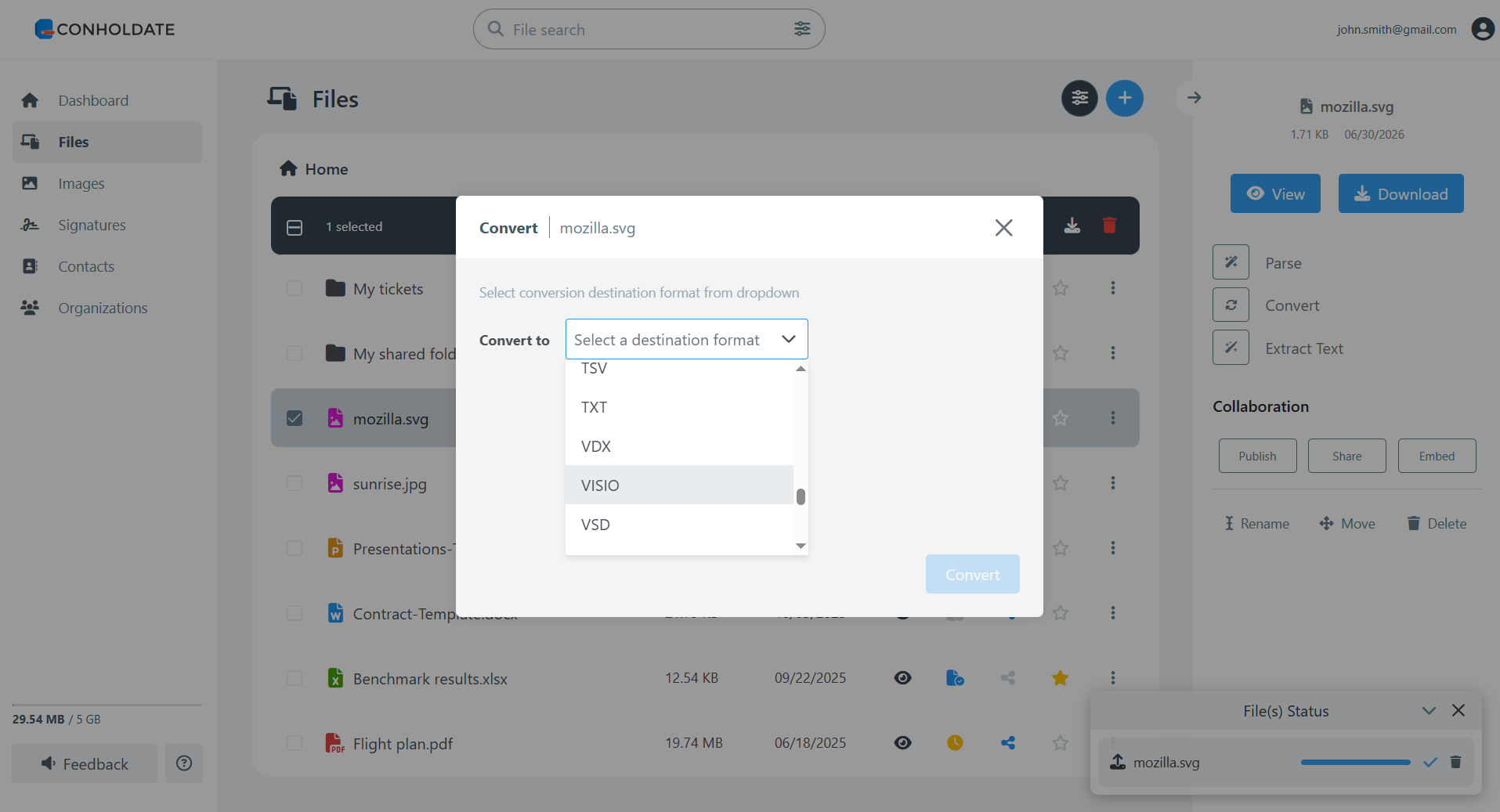
- Click Convert.
- Wait a few moments while the conversion is processed. Once finished, the resulting VSDX file will appear in your files list, ready to view, download, or share.
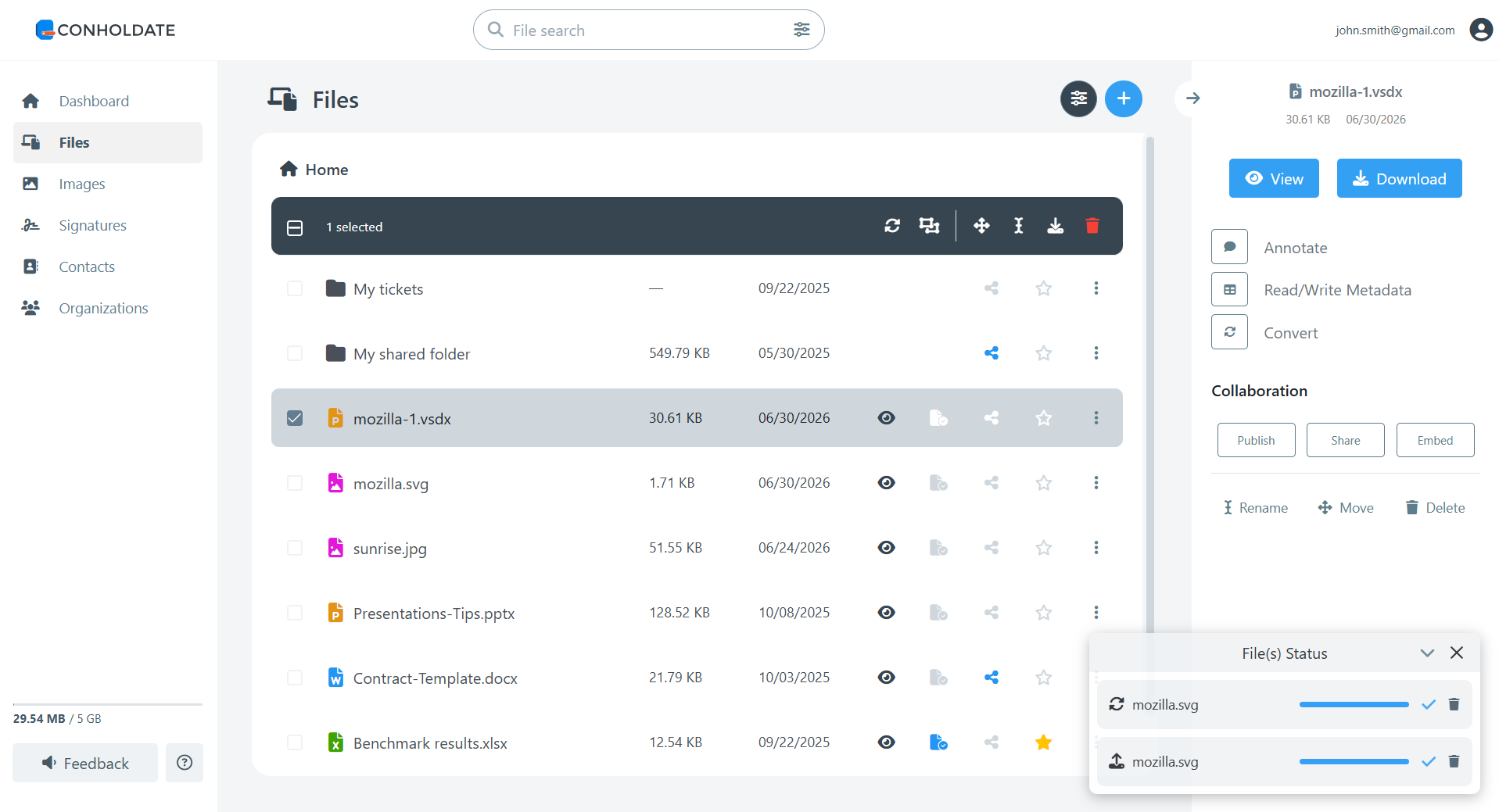
The converted VSDX file can be opened in Microsoft Visio or other compatible applications for review, editing, and further use.
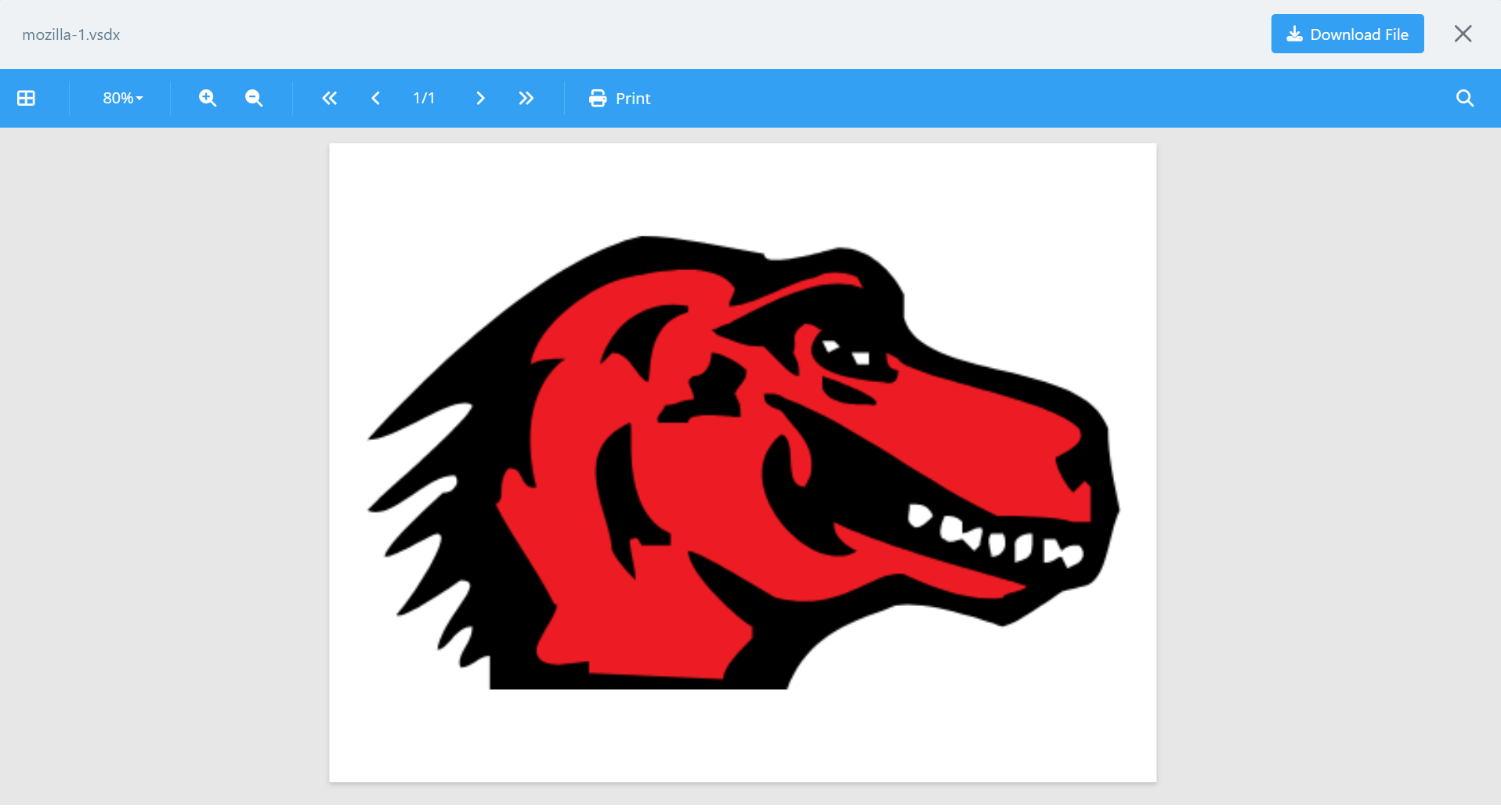
Why Convert SVG to VISIO
SVG is excellent for scalable graphics on the web, but Visio is often preferred for business, engineering, and documentation workflows.
Converting SVG to VISIO can help when you need to:
- Continue working with vector content in a Visio-compatible format.
- Include SVG graphics in process diagrams, network diagrams, or technical documentation.
- Share diagrams with colleagues who use Microsoft Visio.
- Store visual assets in a format suitable for diagram editing and business workflows.
- Keep diagrams scalable while moving them into a more specialized drawing format.
Conholdate.Drive makes this transition simple by handling the conversion online.
Why It’s Useful
- No desktop converter required - convert SVG files online.
- Visio-compatible output - selecting VISIO creates a VSDX file.
- Good for diagrams and vector graphics - reuse SVG content in Visio workflows.
- Centralized workflow - upload, convert, view, download, and share files in one place.
- Useful for teams - prepare graphics for documentation, business diagrams, and technical communication.
Conholdate.Drive makes it easier to work with SVG and Visio formats together, helping teams move vector content into VSDX-based workflows quickly and conveniently.
Join the Discussion
Have questions or feedback about SVG to VISIO conversion or the automatic SVG to VSDX output? Join our public forum to share your experience, request new format support, or tell us how you use Conholdate.Drive in your diagram and documentation workflows.